
Calling a BBS from a Palm IIIc with PalmTerm
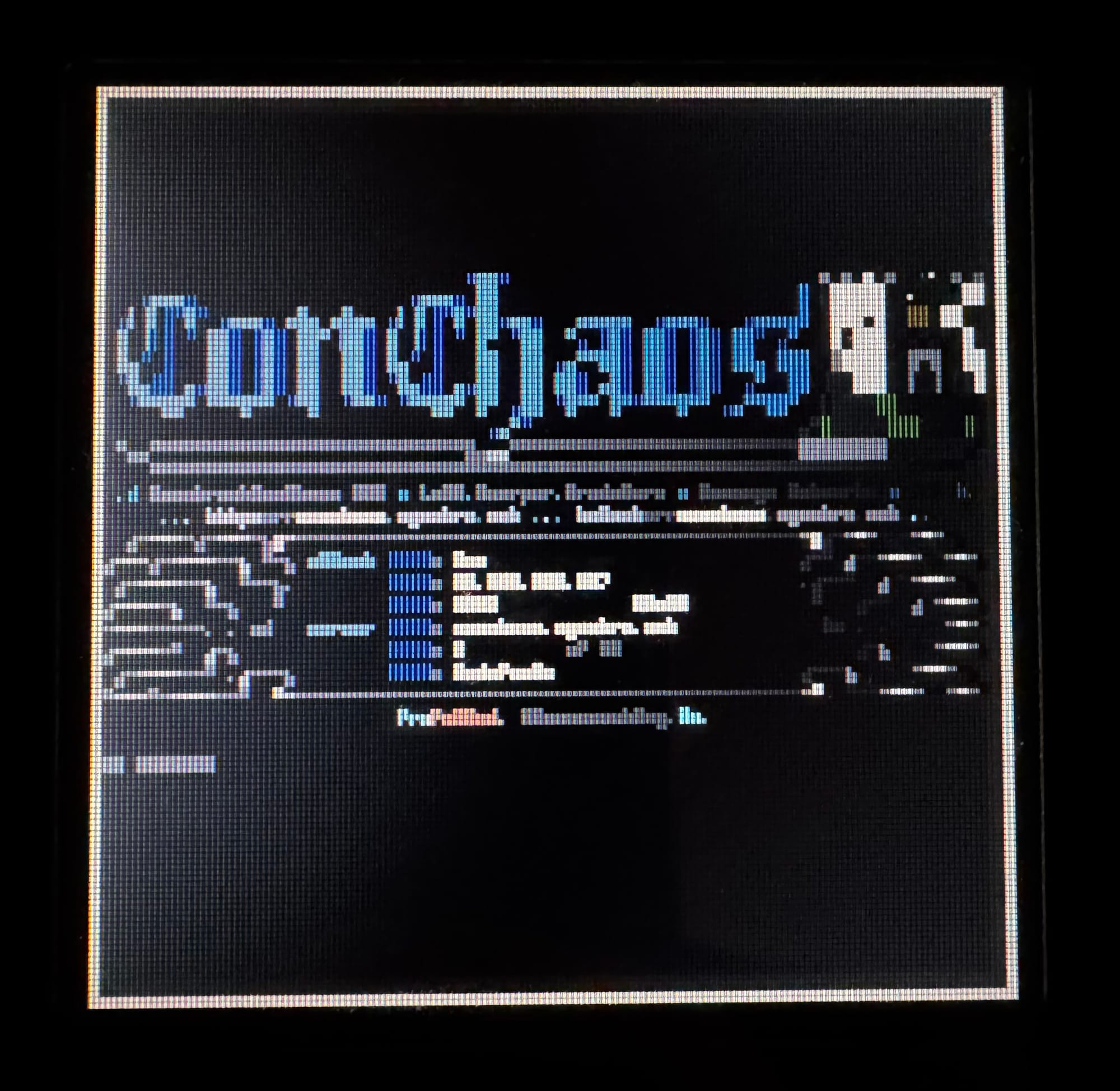
PalmTerm is a colour ANSI and CP437 modem terminal that makes BBS systems usable on the 160 by 160 pixel Palm IIIc.

After connecting my Palm IIIc to RetroModem, I could browse the web with the browser I made to support images on the Palm IIIc and use a few local services. But one important part of the old online experience was still missing: calling a BBS.
On my Psion 5mx I can open Comms, enter a telephone number or a Hayes command and see what answers. I wanted the same experience on the Palm. Point the infrared ports at each other, type ATDT5551234 and watch a colourful ANSI screen appear. That sounded simple enough.
It was not.
The result is PalmTerm, a modem terminal for Palm OS 4.0 and 4.1. It understands the ANSI and CP437 output commonly used by BBS systems, along with VT100 and ordinary ASCII. More importantly for the Palm IIIc, it can display the original 16 colours.
The 160 pixel problem
Most BBS screens were designed for 80 columns and 25 rows. Fitting 80 characters across a display that is only 160 pixels wide leaves exactly two pixels per character. You can preserve the complete screen, or you can read it. Doing both at the same time is asking rather a lot.
I ended up making three views instead of pretending there was one perfect solution.
The first is an 80x25 overview. Every CP437 character is reduced to a tiny 2 by 4 pixel representation, so the Palm can show the entire terminal screen at once. Text becomes mostly decorative, but ANSI artwork keeps its layout and colours surprisingly well. It is a slightly ridiculous way to use the screen, which is also why I like it.
For a closer look there is a zoomed view with a readable bitmap font. The original 80-column screen stays intact and you move around it horizontally and vertically. This is the most faithful readable option, although navigating a large terminal through a 160 by 160 pixel window requires some patience.
The third option simply wraps the text to the available width. Elaborate ANSI menus lose their carefully arranged layout, but login prompts, messages and lists become much easier to use.
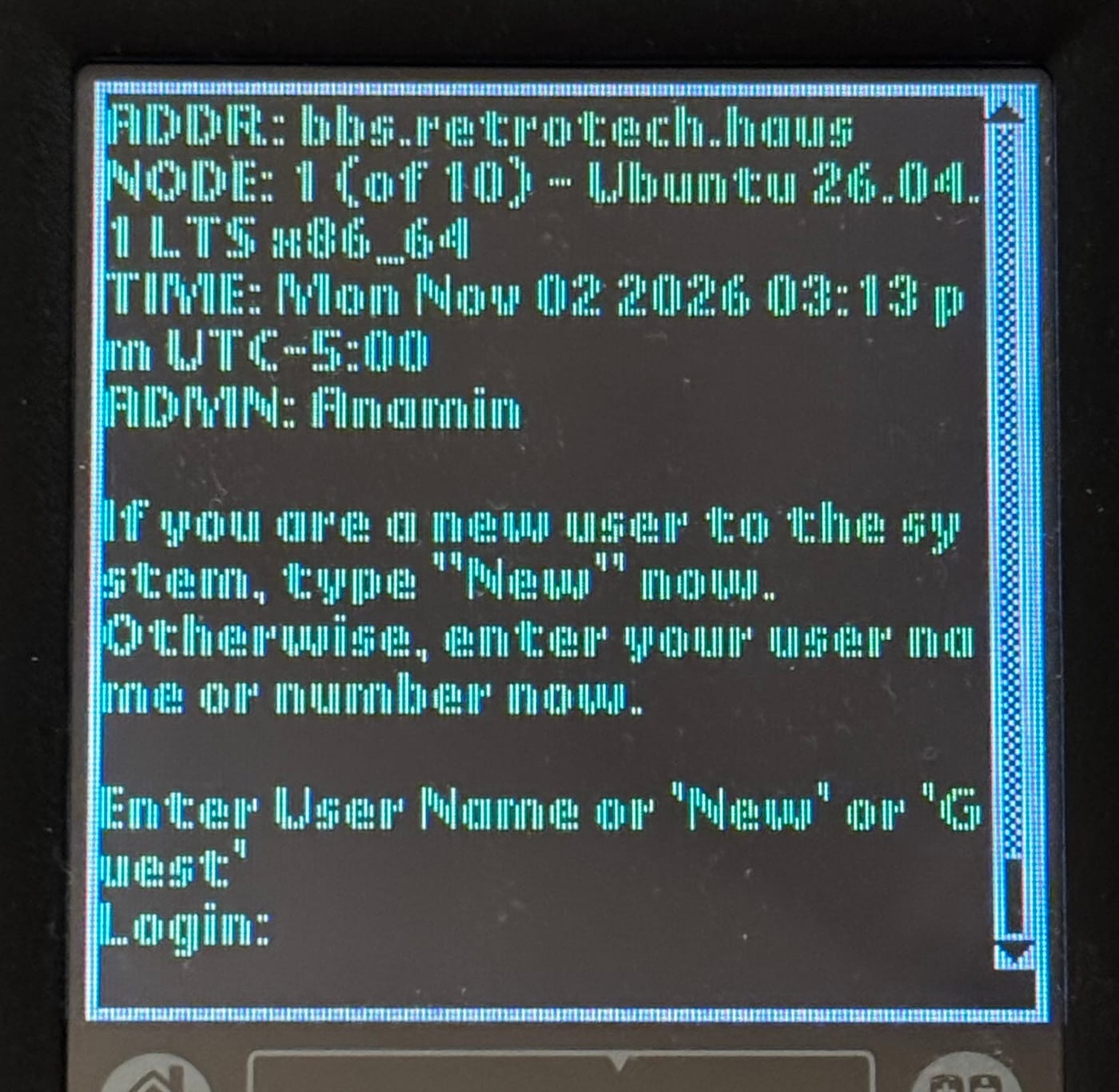
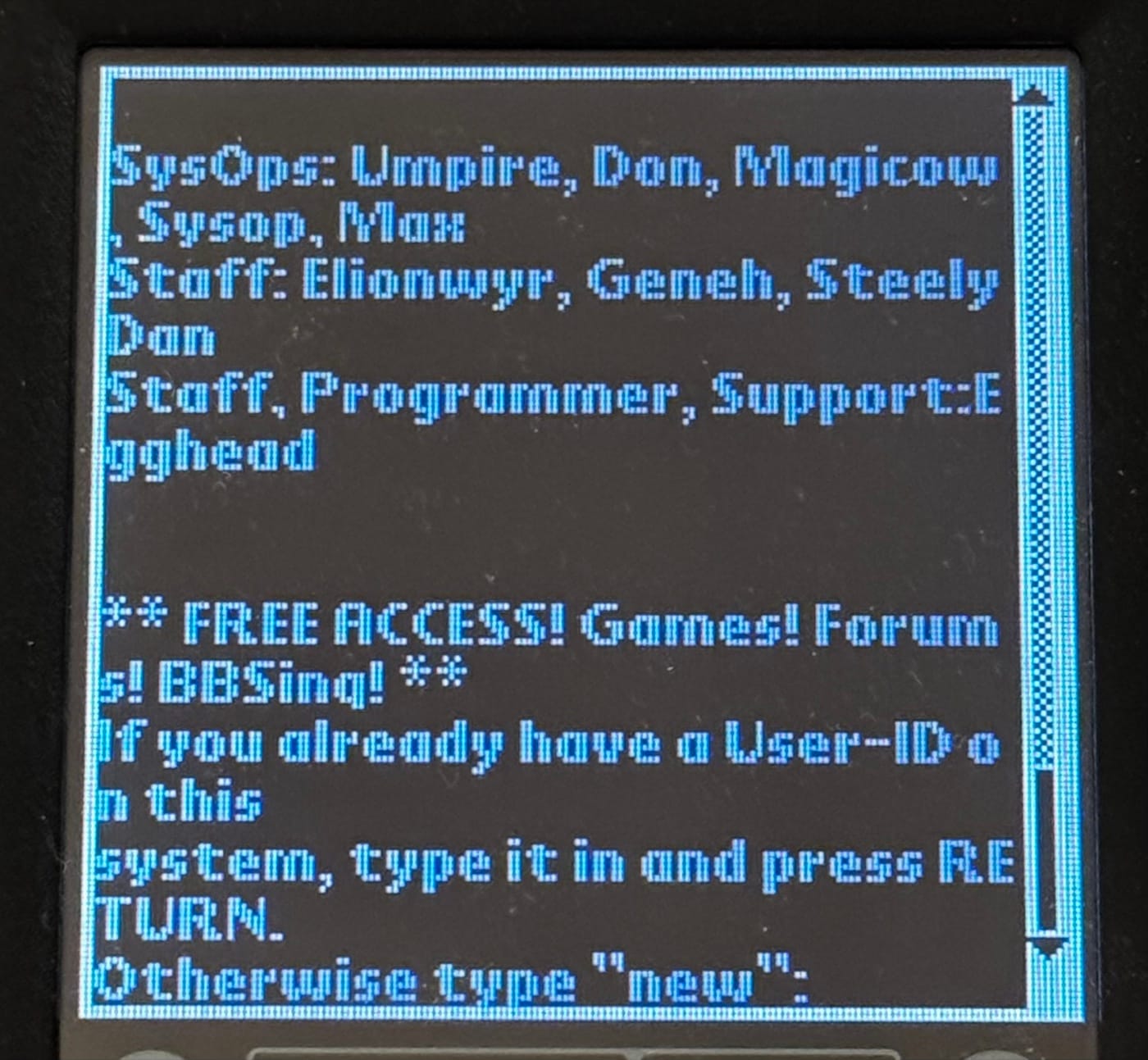
PalmTerm starts in Wrapped Text mode after a fresh installation and remembers the view selected afterwards.
Connecting it to a modem
I did not build a separate connection system into PalmTerm. Instead, it reads the current settings from the Palm OS profile selected under Preferences > Connection. That profile determines whether PalmTerm uses infrared or a serial cable, together with the port speed, flow control and modem initialisation. A compatible setup can run at up to 57,600 bit/s.
Once connected, the application behaves much like the simple terminal I wanted in the first place. Graffiti input goes straight to the modem, while a small phone book stores up to twelve numbers. There is also a command for sending ESC twice, which is useful on some BBS menus.
Hanging up politely is more involved than closing a window. PalmTerm waits for the Hayes guard time, sends +++, waits again and then sends ATH. If the modem decides not to cooperate, Disconnect closes the serial port directly. Sometimes politeness only gets you so far.
PalmTerm does not include file-transfer protocols, scripts or its own Telnet connection. It concentrates on being a terminal for a Hayes-compatible modem. I tested it on a Palm IIIc with Palm OS 4.1, using RetroModem over infrared. The application itself does not require RetroModem and can use another compatible modem available through a Palm OS Connection profile.
The source code, screenshots and installation notes are available on the PalmTerm GitHub page. A ready-to-install PalmTerm.prc can be downloaded from the latest release.