
A web browser with support for images for the Palm IIIc
RetroWEB Browser brings inline GIF images to the Palm IIIc and is also integrated into RetroModem.

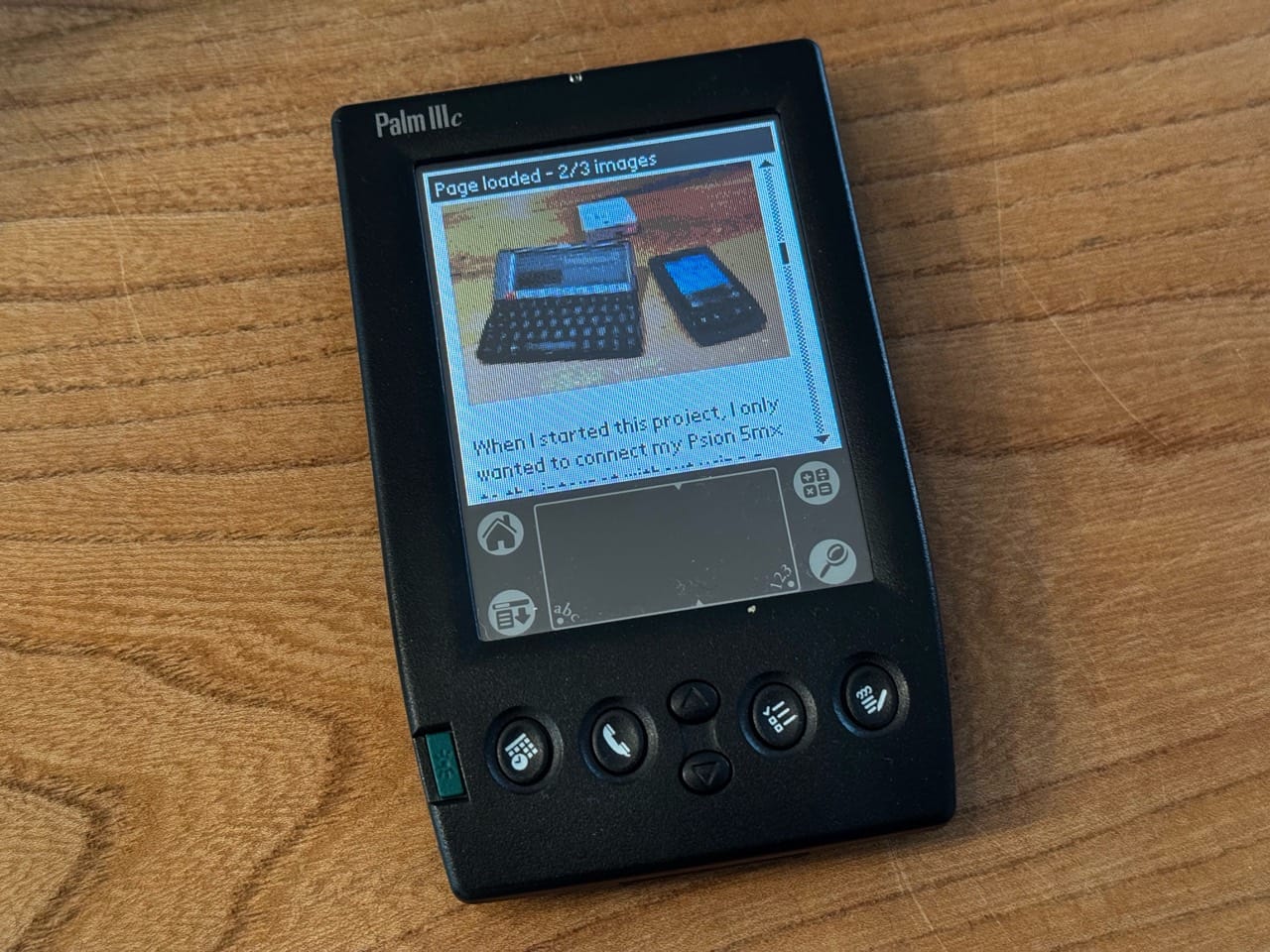
I wanted to use my Palm IIIc with RetroModem, but the available web browsers were surprisingly limited. Text-only browsing worked, but I also wanted to see the images converted by RetroWEB. After quite a lot of searching I could not find another browser for the Palm IIIc that could still do this.
Xiino should be able to display images, but it relies on a proxy server that no longer exists. That makes it rather difficult to use today. So, as often happens with old hardware, I ended up creating my own browser.
The result is RetroWEB Browser, a small open-source browser for Palm OS 4.0 and 4.1. It can display inline GIF images, render basic HTML, follow links, submit forms and keep bookmarks and history. Modern pages and HTTPS are handled by RetroWEB, which converts them into simpler HTML and small GIF files that the Palm can actually display.
I also integrated the browser into my RetroModem project. The RetroModem version opens its local search page by default and can be installed next to the public RetroWEB version. That makes it possible to connect the Palm IIIc over infrared, open a page and see both the text and its images on a 160 by 160 pixel screen. It is not exactly a modern browsing experience, but that is probably not why anyone is using a Palm IIIc in the first place.