
RetroWEB 2.0: a forwarding proxy for old browsers
RetroWEB fetches modern HTTPS websites, converts them for old browsers and can now be used as a normal HTTP forwarding proxy.

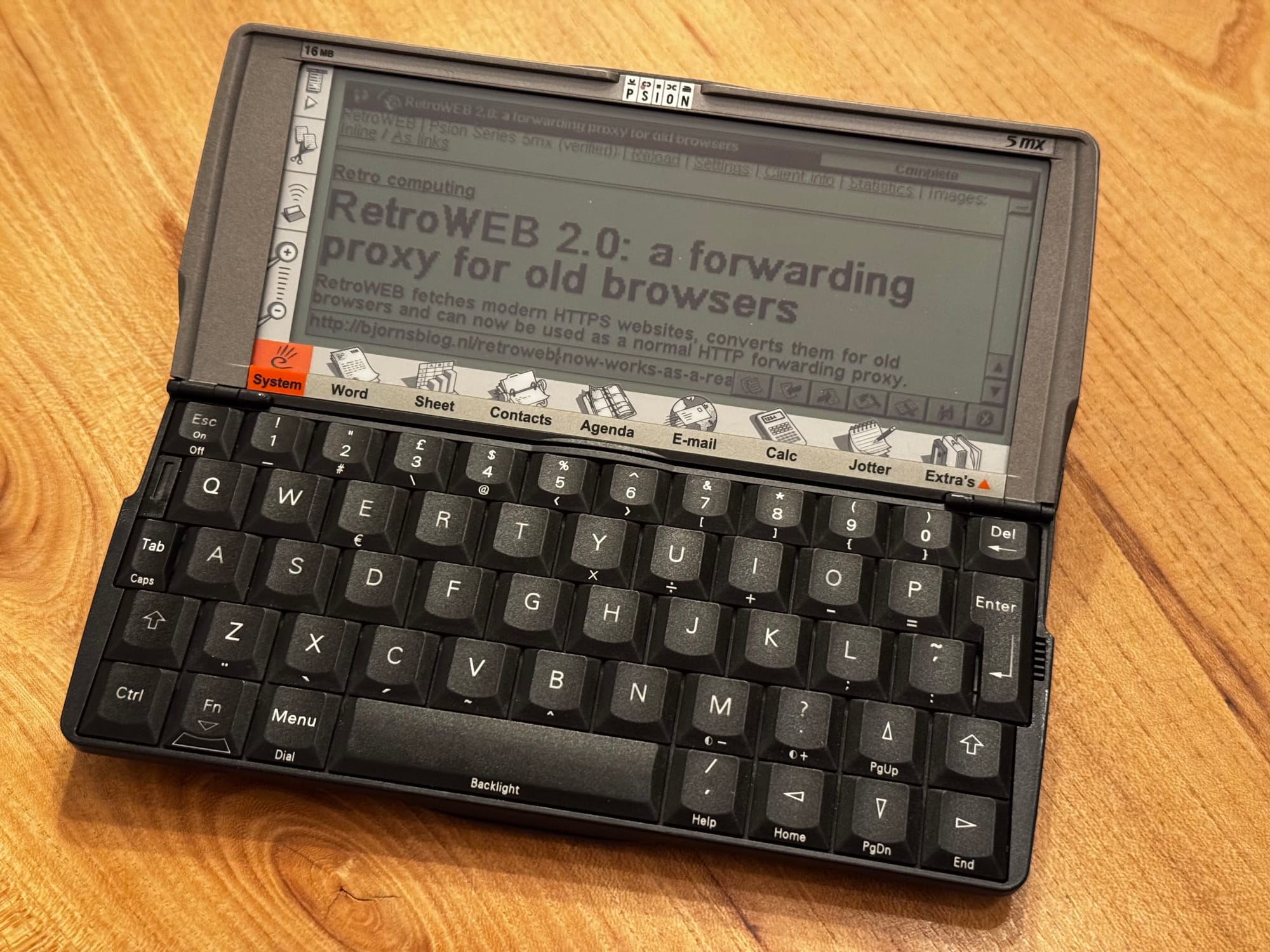
Old web browsers have two rather large problems with the modern internet. They usually cannot make a current HTTPS connection, and even if they could, they do not understand most of the HTML, CSS and JavaScript they receive. The result is usually an error, an empty page or a screen full of garbage.
RetroWEB sits between that old browser and the modern website. You give it a web address, and the server fetches the HTTPS page using a modern connection. It then tries to find the useful content, removes scripts, styling and other parts the old browser cannot use, rewrites the links and returns a much simpler page over ordinary HTTP. Images can be resized and converted to small GIF files, or shown as links to save memory and bandwidth.
You can use it as a website at retroweb.bjrno.com. Enter a search term or URL and RetroWEB returns the converted result. This requires no setup and also works in browsers without proxy settings.
That was the main way to use the first version of RetroWEB. It worked, but you were always browsing through the RetroWEB website and its wrapper links. I wanted it to behave more like a normal internet connection.
So I have now rebuilt most of it. RetroWEB 2.0 still provides the search and URL page, but the main new addition is a public HTTP forwarding proxy. It also has new browser profiles, new page and image settings and a cleaner URL structure. Old links from the first version may no longer work, so it is best to start again from the RetroWEB homepage.
Just configure the proxy and browse
If your old browser supports an HTTP proxy, configure it like this:
Proxy server: retroweb.bjrno.com
Port: 8081
Protocol: HTTP
After that, you can enter a normal HTTP address in the browser. You no longer have to visit the RetroWEB homepage first. Links also behave like ordinary links and the original website address remains visible in the browser.
You can still use retroweb.bjrno.com as your search page, or even set it as your homepage. When you open it through the proxy on port 8081, the search results link to their normal website addresses instead of RetroWEB wrapper links. The forwarding proxy takes care of processing those pages automatically when you click them.
The old computer makes a plain HTTP request to the forwarding proxy. RetroWEB requests the HTTPS version from the modern website, processes it and sends the simplified result back over HTTP. The browser keeps using normal website addresses, while RetroWEB quietly performs the translation in between.
The forwarding proxy does not create an encrypted tunnel. In fact, it deliberately does not support the HTTPS CONNECT method. That would give the old browser the original encrypted connection again, which is exactly what it cannot handle. Instead, RetroWEB terminates the modern HTTPS connection and translates the result to old-fashioned HTTP.
This means the proxy can now sit between the browser and the web instead of being a separate website you have to browse through. It is a small difference in setup, but a very big difference in use.
More than stripping HTML
Modern pages are not simply too large. Their structure often depends on CSS Grid, Flexbox and JavaScript. If you remove all styling without looking at the layout, you can easily end up with menus in strange places, repeated text or content in the wrong order.
Version 2.0 does more work before sending the page back. It tries to find the actual article or main content, removes the surrounding noise and converts useful parts of modern layouts to something an older browser can understand. It can produce HTML 2.0, HTML 3.2 or basic HTML 4.01, depending on the selected browser profile. This is slightly ridiculous in 2026, but it is also quite effective.
Ordinary search forms and other simple forms are rewritten through the proxy too. Basic GET and URL-encoded POST forms can work, but password fields and file uploads are intentionally disabled. More on that below.
Images still work in roughly the same way. They can be shown inline or as links, and are resized and converted to small compatible GIF files. Large pages can be divided into several parts so a device with limited memory does not have to swallow an entire modern website at once. You can also request the unsplit page if the device has enough memory.
Profiles for different old browsers
There is no single useful definition of an old browser. A browser on an early Macintosh needs something very different from Internet Explorer on Windows 98. RetroWEB 2.0 therefore has browser profiles for:
- MacWeb 2.0
- Netscape Navigator 2.02 on a 68K Macintosh
- Psion Series 5mx
- Palm browsers
- Nokia 9210 and 9210i
- Internet Explorer on Windows 98
- A generic legacy browser
RetroWEB tries to select a profile from the browser's User-Agent. You can also choose one manually in the settings. Each profile supplies sensible defaults for the viewport, image dimensions, HTML version, page delivery and memory budget.
For example, the Nokia 9210i profile uses a 640 by 200 pixel viewport, 480 by 180 pixel images, HTML 3.2 and a 250 kB page budget. I tested it by displaying this blog through RetroWEB on my 9210i. That is a modern Ghost website, on a communicator released in 2001, over an infrared modem connection. Obviously this is the sensible way to read it.
The settings page is made from simple HTML as well. No JavaScript is required. You can select a profile and then override the viewport size, maximum image dimensions, HTML version, paginated or unsplit delivery and the page memory budget.
The memory budget is more useful than simply limiting the downloaded HTML. RetroWEB also estimates the space needed for inline images. The default guidance ranges from about 100 to 125 kB for a browser with roughly 1 MB of free memory, up to 1536 to 2048 kB for a machine with around 16 MB. It is still an estimate, but it gives old devices a much better chance of opening a modern page without falling over.
There is also a Client info page. It shows the browser RetroWEB observed, the selected profile and whether the match was recognised. If detection is wrong, you can submit the device and browser version for review. This should make the automatic profiles better as more strange old browsers appear.
The homepage is still useful
The forwarding proxy does not replace the RetroWEB homepage. You can still enter a URL there or search the web without changing any browser settings. This remains the easiest option for devices whose browser has no proxy setting.
The forwarding proxy is an additional way to use the same conversion engine. Personally, I prefer it because browsing feels much more normal. Type a URL, click links and use the Back button. RetroWEB mostly disappears into the background, which is where a proxy belongs.
RetroWEB is also integrated into RetroModem, but this has changed in version 2.0. RetroModem no longer contains a separate local copy of the content processor. It now uses the public proxy at retroweb.bjrno.com:8081.
You can configure that proxy manually in the old browser, or let RetroModem route HTTP traffic to it automatically. In automatic mode the browser needs no proxy setting at all. RetroModem acts as a transparent relay, while the actual conversion happens on the public RetroWEB service. This removes quite a lot of duplicated code and means both routes now use the same version of the conversion engine.
Do not use this for anything sensitive
There is an important limitation. Everything between the old browser and RetroWEB is ordinary, unencrypted HTTP. The server also has to read and rewrite the page in order to make it compatible.
So do not use this proxy for passwords, accounts, payments or any other sensitive information. Password forms and file uploads are blocked on purpose. RetroWEB is intended for reading websites, following links and using simple search forms. It is not intended for online banking on a Psion. I hope this was already obvious, but it is worth stating anyway.
It also cannot make every modern website work. Sites that require JavaScript for all content, use aggressive bot protection or hide everything behind a consent screen can still fail. The conversion is much better than before, but the modern web remains an impressively complicated target.
Still, this version feels much closer to what I originally wanted. Configure one proxy, open a normal URL and browse the modern web from an old computer. It is not perfect, but seeing my current blog appear on a Nokia 9210i makes me very happy :)